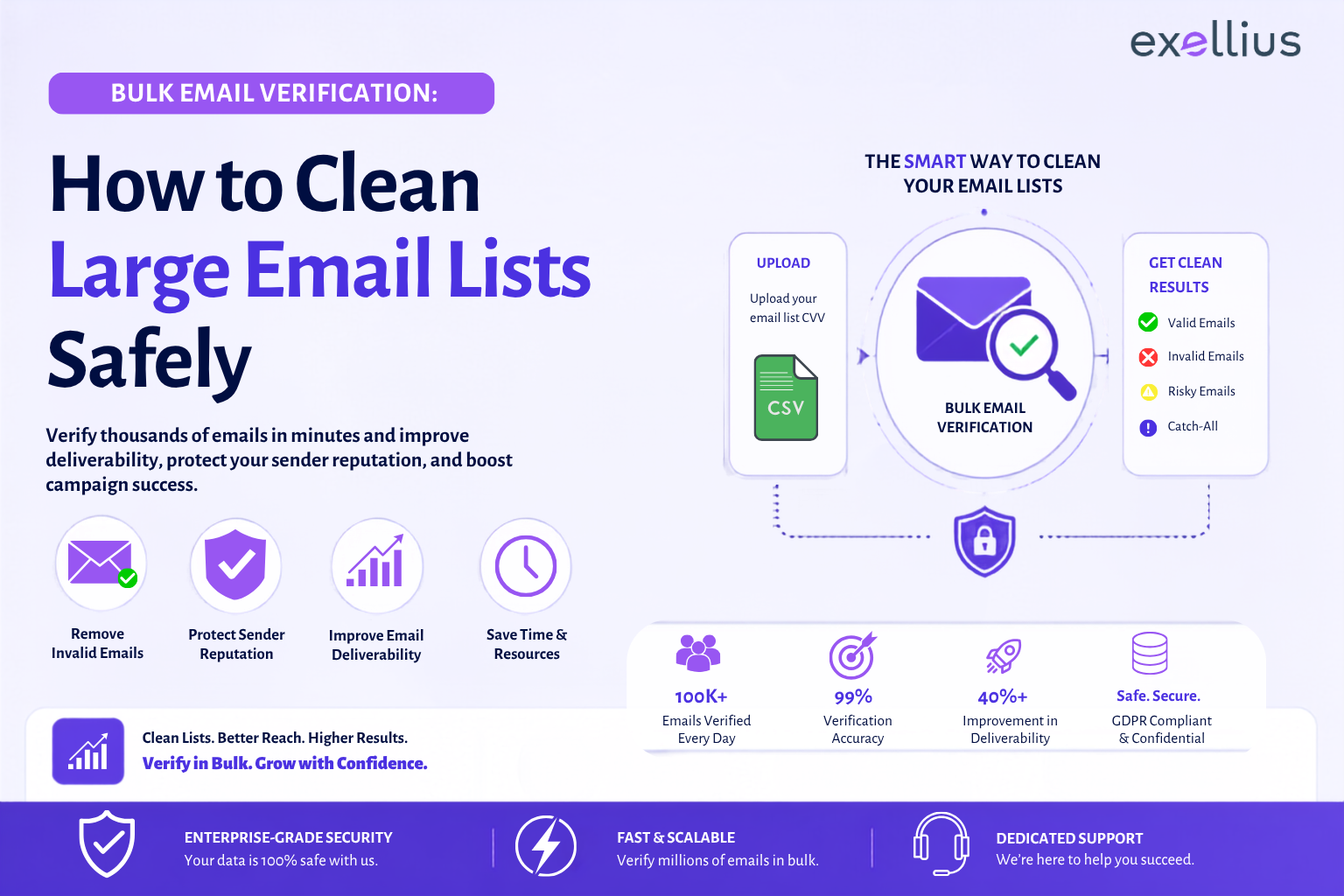

A large email list is only useful when the addresses in it can be trusted. Over time, business databases accumulate invalid addresses, former employees, disposable accounts, duplicates, role-based inboxes, and addresses that cannot be verified with certainty. Sending to all of them without checking the list first can result in unnecessary bounces and unreliable campaign data.
Bulk email verification provides a practical way to check thousands of addresses in one workflow. But good list cleaning is not simply about removing everything that does not return a “valid” result. The better approach is to verify the list, understand each result, separate addresses by risk, and decide what should be sent, suppressed, or reviewed.
For a technical overview of the checks behind verification, see how email verification works.
What Is Bulk Email Verification?
Bulk email verification is the process of checking a large number of email addresses together rather than validating them individually.
A bulk email verifier typically evaluates several signals associated with an address, including its format, domain, DNS and mail-server configuration, and mailbox-level responses where available. Depending on the verification system, it may also identify disposable, role-based, catch-all, or otherwise risky addresses.
The objective is not to send a test email to every contact. Verification works through technical checks with the domain and receiving mail infrastructure. For example, MX records indicate where a domain receives email, while SMTP checks can provide additional information about whether a particular mailbox appears to exist.
A typical result might look like this:
| Status | What it generally means | Recommended treatment |
| Valid | The address passed the available verification checks | Generally suitable for sending |
| Invalid | The address does not appear deliverable | Remove or suppress |
| Catch-all | The domain accepts mail for addresses even when the specific mailbox cannot be confirmed | Review before sending |
| Unknown | The verifier could not determine validity | Retry or review |
| Disposable | The address uses a temporary email service | Usually suppress |
| Risky | Signals indicate elevated delivery or data-quality risk | Review based on use case |
Terminology varies between verification providers. For example, Mailgun uses result types including deliverable, undeliverable, do_not_send, catch_all, and unknown, while Hunter uses statuses such as Valid, Invalid, Accept-all, Disposable, and Unknown.
That difference matters when teams build automated workflows. A status should always be interpreted according to the verification provider’s definitions rather than treated as a universal industry standard.
When Should You Verify a List in Bulk?
Bulk verification is useful whenever a list has grown beyond the point where manual checking is practical.
Common situations include:
- Before a large outbound email campaign
- After importing contacts from another database
- Before migrating CRM records
- After merging multiple lists
- When a database has not been cleaned for several months
- When bounce rates begin increasing
- Before activating an old or dormant contact database
- After a major lead-generation campaign
- As part of a recurring data-quality process
Verification is particularly important for older databases because contact data changes. People leave companies, domains are retired, mailboxes are disabled, and addresses collected years ago may no longer represent current business contacts.
This is also why email list cleaning should not be treated as a one-time project.
How to Prepare Your File
A verification tool can only work with the data it receives. Preparing the source file first makes the process cleaner and makes the results easier to interpret.
Start with a simple structure
A CSV or Excel file might contain:
| First Name | Last Name | Company | |
| Jane | Doe | Acme Corp | jane.doe@acme.com |
| Mark | Lee | Northstar Inc. | mark.lee@northstar.com |
| Priya | Shah | Example Ltd. | priya.shah@example.com |
Keep the email field consistent. Remove obvious formatting problems, blank rows, and unnecessary columns where they are not needed.
Remove duplicates before verification
If the same address appears several times, verifying it repeatedly adds noise to the process and can complicate downstream reporting.
Duplicate email removal should therefore happen before or as part of the list-cleaning workflow.
Separate finding from verification
This distinction is easy to miss.
Email finding attempts to identify an email address that belongs to a person or company. Email verification evaluates whether an existing address appears deliverable.
If a sales team has only a person’s name and company domain, it needs an email finder or lead discovery workflow first. If it already has jane.doe@acme.com, it can send that address through a verifier.
The two processes solve different data problems.
For teams working with broader contact data, B2B lead enrichment can combine verified contact information with company, role, and other business data.
Step-by-Step Bulk Verification Workflow
1. Upload the CSV or Excel file
Start by uploading the prepared list to your bulk email validator or bulk verification workflow.
For API-based workflows, the same principle can be handled programmatically. Mailgun, for example, provides a bulk validation API that accepts a CSV containing an email column and creates a validation job.
2. Map the email column
If the file contains several fields, identify which column contains the addresses to verify.
This sounds simple, but it is an important quality-control step. A wrong column mapping can produce incomplete or unusable results.
3. Run the verification
The verifier processes the addresses and performs the available checks.
These can include syntax validation, domain and DNS checks, MX records, SMTP connectivity, mailbox-level checks, and detection of disposable or catch-all domains. Not every address will produce a definitive result because some receiving servers restrict or block verification attempts.
4. Review the statuses
Do not treat the output as a single “clean” or “dirty” list.
Separate the results into meaningful groups:
Send:
Addresses with a valid result and no additional risk signal relevant to your campaign.
Suppress:
Invalid and clearly undeliverable addresses.
Review:
Catch-all, unknown, blocked, or other uncertain results.
Remove:
Disposable addresses and records that fail your data-quality requirements.
This approach is more useful than deleting every address that does not return a definitive valid result.
5. Export and segment the results
Once verification is complete, export the verified email list and retain the status information.
A useful output file might look like:
| Status | Action | |
| jane.doe@acme.com | Valid | Send |
| former.employee@acme.com | Invalid | Suppress |
| info@company.com | Catch-all | Review |
| temp@disposablemail.com | Disposable | Remove |
| contact@unknown-domain.com | Unknown | Review |
Keeping the status alongside the address gives sales and marketing teams a record of why an address was retained or excluded.
How to Handle Valid, Invalid, Catch-All and Unknown Results
Valid does not mean guaranteed delivery
A valid result means the address passed the checks available to the verifier. It does not guarantee inbox placement.
Mailbox conditions can change after verification, and delivery can still be affected by sender reputation, authentication, recipient policies, spam filtering, or temporary server issues. Hunter similarly notes that verification reflects the state of an address at the time it is checked and cannot guarantee that a mailbox will remain deliverable.
Invalid addresses should generally be suppressed
An invalid result indicates that the address failed the relevant checks or does not appear able to receive email. Keeping these addresses in an active campaign list creates avoidable delivery failures.
Catch-all needs a different treatment
A catch-all, or accept-all, domain is configured to accept email for addresses even when the specific mailbox may not exist. Because the server does not provide enough information to confirm the individual mailbox, the verifier cannot establish deliverability with the same certainty as a normal valid result.
That does not automatically make every catch-all address unusable. It means the address should be treated as uncertain and evaluated according to the campaign, source, and other available data.
Unknown is not the same as invalid
An Unknown result generally means the verifier could not determine the address’s status.
A receiving server may block verification attempts, respond slowly, use greylisting, or otherwise prevent a definitive check. Hunter, for example, identifies blocked or non-responsive mail servers as common reasons for an Unknown result.
Deleting all unknown records immediately can therefore remove addresses that may still be usable.
Security and Privacy Checklist
Large contact lists contain business and personal data, so the verification process needs controls beyond technical accuracy.
Before uploading a large database, check:
- Data retention: How long does the provider retain uploaded files and verification results?
- File handling: Is data transferred and stored securely?
- Access controls: Who can upload, view, export, or delete verification data?
- Export controls: Where do verified results go after processing?
- API security: How are API credentials protected and rotated?
- Compliance: Does the workflow align with the privacy and data-protection requirements applicable to your organization?
- Data minimization: Are you uploading only the fields needed for verification?
The Exellius Help Center provides product guidance around email-list validation, exports, and verification workflows.
For larger technical teams, an API-based workflow can also reduce the need to move complete contact files between systems. The right architecture depends on the organization’s CRM, marketing stack, security requirements, and data-retention policies.
Common Bulk Verification Mistakes
Verifying the list only after a campaign fails
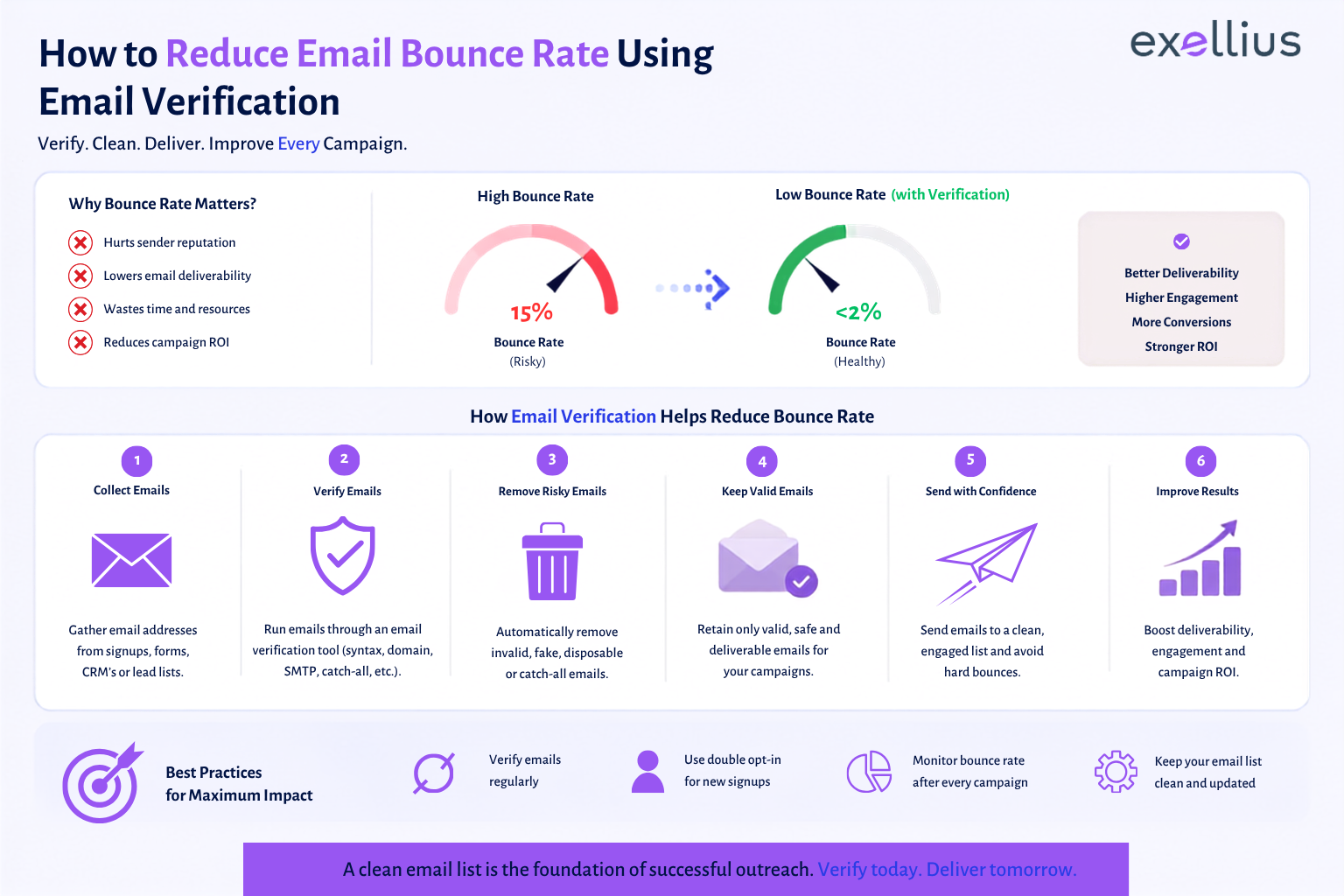
List hygiene works better as a preventive process. Waiting for bounce rates to rise means the database has already created a problem.
Treating every non-valid result as invalid
Catch-all and unknown results represent uncertainty, not necessarily failure. They need separate handling.
Keeping verification and CRM data disconnected
If the verified status never reaches the CRM or marketing platform, the same bad addresses can re-enter future campaigns.
Assuming verification replaces deliverability controls
Recipient verification is only one layer. SPF, DKIM, DMARC, sending reputation, engagement, consent, and campaign practices also affect delivery.
Ignoring duplicates
A list can contain the same contact multiple times across campaigns, regions, or imported databases. Duplicate records make reporting less reliable and can lead to unnecessary processing.
Confusing bulk email finding with bulk verification
Finding new addresses and checking existing addresses are separate workflows. Treating them as the same task creates gaps in data quality.
How Often Should You Re-Verify Lists?
There is no single interval that works for every database.
A better approach is to base re-verification on data age, rate of change, and sending frequency.
A fast-changing prospect database may need more frequent checks than a relatively stable customer list. New leads should ideally be checked before they enter active outreach, while older records should be reviewed periodically.
The important point is that verification should be part of the data lifecycle:
Collect → Verify → Segment → Send → Monitor → Re-verify
For teams processing large volumes continuously, an API can move verification closer to the point where an address enters the system rather than waiting for a large manual cleanup.
Bulk Email Verification Preparation Checklist
Before running a large list through a bulk email checker, confirm that you have:
- Removed duplicate addresses
- Removed blank and obviously malformed records
- Identified the correct email column
- Confirmed the source and age of the list
- Checked whether the data can be uploaded to the selected service
- Defined what happens to Valid, Invalid, Catch-all, Unknown, and Disposable results
- Decided which results require manual review
- Planned how verified statuses will return to the CRM
- Defined a re-verification schedule
- Documented data-retention and access requirements
The checklist is simple by design. The difficult part is not uploading the file; it is deciding what the resulting data means and how that information should affect the next step.
FAQs
What is bulk email verification?
Bulk email verification checks a large number of existing email addresses together to determine whether they appear deliverable. It can identify invalid, disposable, catch-all, unknown, and other risk categories depending on the verification service.
Which file formats can be used for bulk verification?
CSV is a common format for bulk email validation, while many workflows also support Excel files. The exact formats depend on the verification platform. Teams should confirm supported formats before preparing a large upload.
How should catch-all results be handled?
Catch-all addresses should generally be treated as uncertain rather than automatically classified as valid or invalid. Since the receiving server accepts mail without confirming whether a specific mailbox exists, these addresses may require additional review before sending.
Is bulk email verification secure?
Security depends on the provider and the organization’s implementation. Before uploading a large database, review data retention, storage, access controls, encryption, deletion processes, API security, and applicable privacy requirements.
How often should a large list be cleaned?
There is no universal schedule. Verify new contacts before outreach and re-verify older records according to how quickly the database changes, how frequently campaigns are sent, and how important current data quality is to the workflow.
Clean the List Before It Becomes a Campaign Problem
A large email database should be treated as operational data, not a static spreadsheet.
Addresses change. People move between companies. Domains disappear. Mail servers change configuration. Some addresses cannot be confirmed because receiving systems deliberately limit what they disclose.
That is why effective bulk email verification is less about processing the largest possible file and more about making better decisions with the results.
A practical workflow verifies the list, separates definite failures from uncertain results, removes duplicates, preserves useful status information, and feeds the cleaned data back into the systems that use it.
For organizations that need to verify existing lists, Exellius provides workflows through its Advanced Email Verifier, Bulk Task, and API capabilities. The right setup depends on whether the requirement is a one-time cleanup, recurring list hygiene, or verification built directly into a lead-generation and CRM workflow.

Leave a Reply